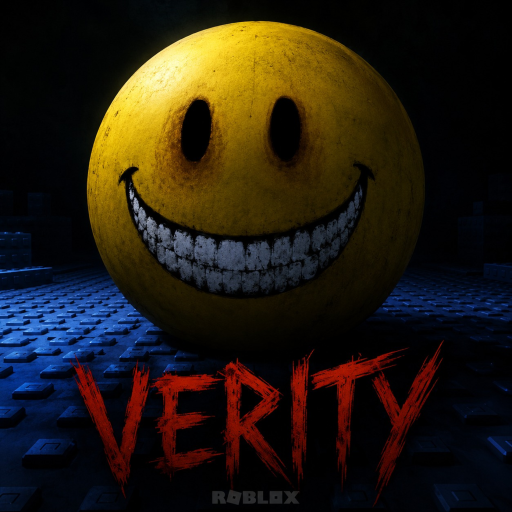
Verity [HORROR] Welcome Badge
Last updated:
The Welcome badge is the most common first-touch achievement on Verity [HORROR] by Specter Development. Roblox lists it by name on the official badge page — some wiki searches still use You Played, but the in-game award is Welcome. It marks that you loaded into the experience, stepped into Ethan’s shoes, and began the story of the mysterious box and the yellow sphere named Verity.

This guide explains how to earn, verify, and troubleshoot the Welcome badge without confusing this title with other Roblox games that share the Verity name.
What the Welcome badge represents
Welcome tracks unique players who successfully enter the experience. Win rate sits near 100% on Roblox statistics — nearly everyone who loads in earns it. It is not a skill marker: it does not mean you survived three days or earned You escaped. It means Roblox logged a play session on Place ID 102512776849655.
For collectors, Welcome is the baseline entry before you attempt Night 0 Complete, story badges, or completion awards.
How to earn the badge
- Open Verity [HORROR] on Roblox
- Press Play and wait for the experience to load fully
- Spawn into Ethan’s house — the intro may begin with home-alone ambience before the doorstep box appears
- Remain in-session briefly so Roblox registers presence (usually seconds)
You do not need to:
- Finish Day 3
- Enter codes — none active July 2026
- Complete house protection milestones
Optional: walk through how to play during your first visit so the session doubles as learning. Hello, I’m Verity! often grants in the same early session when you meet Verity in the box.
How to verify the badge
Method 1 — Game page
On the Verity [HORROR] Roblox page, open Badges. Find Welcome with the yellow icon. Click through to see earn date and rarity statistics.
Method 2 — Your profile
Roblox Profile → Inventory → Badges. Search visually or sort by recent. The icon should tie to Specter Development’s experience.
Method 3 — In-session notification
Some players see a toast when badges grant. Absence of a toast does not mean failure — always check inventory after a minute.
Troubleshooting missing badges
| Issue | Fix |
|---|---|
| Inventory delay | Wait 5–10 minutes, rejoin once |
| Wrong game | Confirm developer Specter Development and Place ID 102512776849655 |
| Private servers | Should still grant; verify server uses same place |
| Account restrictions | Parental controls may limit badge display |
If problems persist, check events/updates for badge system changes.
Welcome vs. You escaped
| Badge | Typical requirement | Win rate |
|---|---|---|
| Welcome | Join the experience | ~100% |
| You escaped | Complete a successful run | ~15% |
Treat Welcome as the invitation card and You escaped as the diploma. Move to the walkthrough when you are ready to graduate.
Platform notes
Works on PC and console equally. Headphones improve the first session but do not affect badge grants.
Context reminder
Verity [HORROR] is a fan-made Roblox recreation inspired by ThatMob’s Verity. Badge art belongs to Specter Development’s Roblox experience.
Load in once, confirm Welcome, then decide whether you are only visiting or staying to survive what comes on day three.
Frequently Asked Questions
How do you get the Welcome badge?▾
Join and play Verity [HORROR] by Specter Development. The Welcome badge grants on first successful load into Place ID 102512776849655.
Is Welcome the same as You Played?▾
Community guides sometimes call join badges You Played. On this Roblox experience the official listed name is Welcome.
Why did I not receive the badge?▾
Roblox inventory delay, wrong game version, or joining a copy with a different Place ID can prevent the award. Verify Place ID 102512776849655.
Does leaving early revoke the badge?▾
No — once granted, Roblox badges stay on your profile unless the developer removes them.