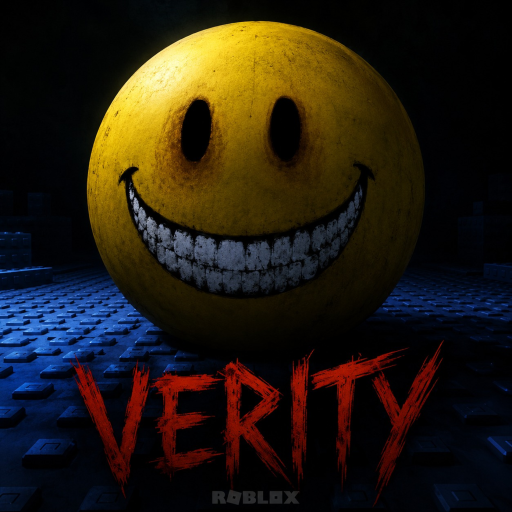
Verity [HORROR] Console Controls
Huling na-update:
Parehong Ethan story, parehong yellow sphere Verity, at parehong three-day house survival loop ang nararanasan ng console players gaya ng PC — iba lang ang inputs. Ang official console bindings ng Specter Development ay sumusunod sa common Roblox horror conventions: L3 to run, face button to interact.
Saklaw ng guide na ito ang Xbox at PlayStation layouts, stick techniques para sa interactables, at audio setup kapag headphones are recommended (controller jack, console USB headset, o TV headphones kung kailangan).
Official console controls
| Action | Xbox | PlayStation |
|---|---|---|
| Move | Left stick | Left stick |
| Look | Right stick | Right stick |
| Run | L3 (press left stick) | L3 |
| Interact | B | Circle |
I-compare sa PC controls: Shift → L3, E → B or Circle.
Running gamit ang L3
L3 run ay toggle o hold depende sa controller profile ng Roblox; sa practice, pindutin ang left stick habang nagtutulak pasulong para mag-sprint.
Gamitin ang L3 kapag:
- Tumatawid sa malalaking house rooms during Day 2 relocations
- Nagmamadali i-secure ang door during house protection beats
- Lumilikha ng distansya kay Verity kapag tumataas ang watching behavior niya — tingnan ang interact guide
L3 pitfalls
Puwedeng ma-trigger ang run sa masamang timing ang accidental L3 clicks habang dahan-dahang gumagalaw — noisy floor cues o story triggers. Mag-practice sa Day 1 walkthrough hallway hanggang maging deliberate ang run.
Puwedeng magdulot ng unwanted movement ang stick drift; ayusin ang hardware issues bago ang Day 3 finale timing.
Interacting gamit ang B (Xbox) o Circle (PlayStation)
Interact ang pinaka-importanteng button sa Verity [HORROR]:
- Buksan ang mysterious box sa front door
- I-secure ang locks at environmental objects
- Makipag-usap kay Verity during prompts
- I-advance ang walkthrough story nodes
Mas madalas mabigo ang console interact kaysa PC kapag:
- Masyadong mababa o mataas ang camera angle
- Nakatayo sa edge ng prompt radius
- Nagma-mash ng B/Circle bago lumabas ang UI
Fix: tumigil sa paggalaw, i-nudge ang right stick para i-center ang prompt, tapos pindutin nang isang beses.
Controller camera tips
Tinutukoy ng right-stick sensitivity kung gaano kabilis mo mahahanap ang rear-window prompts during perimeter rituals. Taasan ang sensitivity kung mabagal ang 180° turns kapag listens si Verity sa likod mo; ibaba kung overshoot ang maliliit na interact meshes sa kitchen o garage.
Audio sa console
Gumamit ng headphones na nakaplug sa controller (kung supported) o USB wireless headset. Gumagana ang TV speakers pero nawawala ang directional cues na critical sa Day 2 at Day 3. Inuulit ng home FAQ at review ang developer guidance sa audio.
Platform comparison table
| Task | Xbox | PlayStation |
|---|---|---|
| Sprint to front door | L3 + stick | L3 + stick |
| Open doorstep box | B | Circle |
| Mid-dialogue advance | B / Circle kapag prompted | Same |
| Pause / menu | Xbox button | PS button |
Co-op at account notes
Kumikita pa rin ng badges tulad ng You Played ang console players na sumasali sa friends sa kanilang account. Ang badge checking ay gumagamit ng Roblox profile UI — tingnan ang you played guide.
Updates
Kung magbabago ang bindings ng Specter Development, ido-dokumento ito sa events/updates. Sumasalamin ang page na ito sa official mappings ng Hulyo 2026 para sa Place ID 102512776849655.
Ang console horror ay nabubuhay o namamatay sa L3 timing at malinis na B/Circle presses. Matutunan ito sa tahimik na bahay ni Ethan sa Day 1 para maging instinct kapag may dumating sa Day 3.
Mga Madalas Itanong
Paano tumakbo sa Xbox sa Verity [HORROR]?▾
Pindutin ang L3 — i-click ang left analog stick habang gumagalaw.
Paano mag-interact sa PlayStation?▾
Pindutin ang Circle kapag may prompts.
Ano ang Xbox interact button?▾
B.
Pareho ba ang console controls sa PC?▾
Functionally oo — ang run at interact ay naka-map sa L3 at face buttons imbes na Shift at E.